
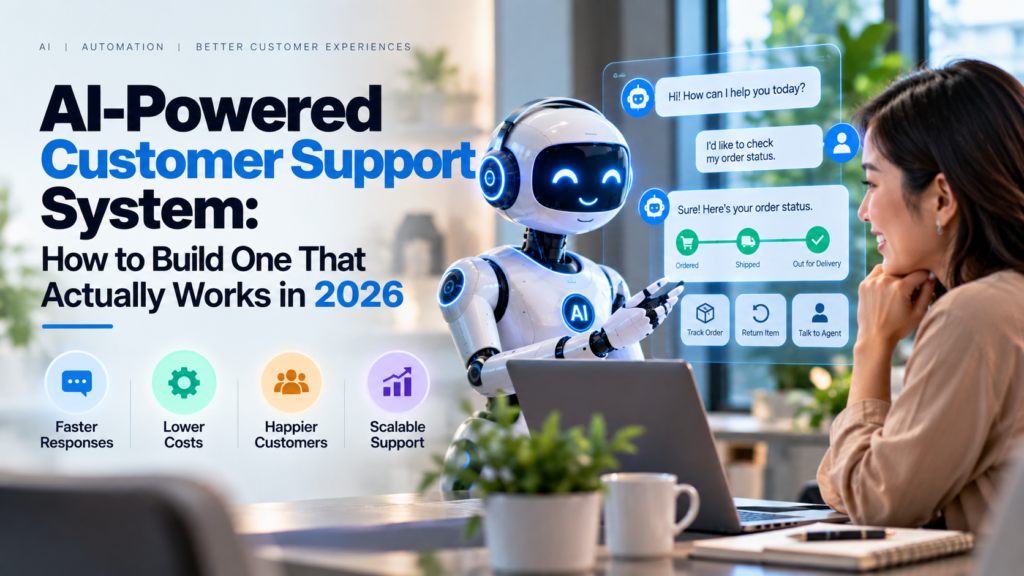
AI-Powered Customer Support System: How to Build One That Actually Works in 2026
Introduction
An AI-powered customer support system should do more than place a chatbot in the corner of a website.
In practice, a useful system needs to understand what customers want, search trusted company information, answer common questions, complete approved tasks, and send difficult cases to the right employee.
In addition, when AI transfers a conversation, the human agent should receive enough background to continue helping the customer without making them start over.
Most importantly, that last point matters.
The goal should not be:
AI replaces every customer support employee.
Instead, a better model is:
AI handles predictable work → humans handle unusual cases, judgment, emotion, and important decisions.
As a result, this mixed approach is becoming common across major support platforms.
For example, Salesforce Agentforce Service supports AI-led assistance with escalation to live representatives when needed. Intercom Fin can also hand unresolved conversations to human support. Likewise, Ada allows businesses to create handoff rules that pass useful conversation details to employees or other support systems.
Meanwhile, HubSpot Customer Agent can answer questions using a company’s existing content. It can also work across several customer channels.
Therefore, building a successful AI support system in 2026 is less about finding the smartest chatbot and more about creating the right support workflow.
In simple terms, a practical system needs five basic elements:
- A reliable source of company information
- AI that understands what customers need
- Clear rules about what AI can and cannot do
- Easy ways to transfer customers to people
- Regular testing and improvement
Get those five parts right, and AI can reduce repetitive support work without making customers feel trapped inside automation.
What Is an AI-Powered Customer Support System?
An AI-powered customer support system uses artificial intelligence to help receive, understand, answer, route, or resolve customer requests.
However, the system is not always one product.
In many companies, several tools work together.
These may include:
- AI chatbots
- AI agents
- Natural language processing
- Help desk software
- Knowledge bases
- CRM data
- Workflow automation
- Ticket routing
- Urgency detection
- Human support teams
In simple terms, the system connects customer communication, company knowledge, AI, and human support.
For example:
Customer message
↓
AI identifies the request
↓
Knowledge base is searched
↓
AI prepares an answer
↓
Approved action is completed
↓
Conversation is resolved or transferred to a person
As a result, the system does much more than simply generate text.
What Is NLP in Customer Service?
NLP stands for natural language processing.
In simple terms, NLP helps software understand normal human language.
For example, three customers may write:
Where is my package?
My order still hasn’t arrived.
Can you check shipment 4583?
The wording is different. However, the customer may want the same thing:
Order tracking
An NLP chatbot for customer service tries to understand the meaning instead of looking only for exact keywords.
Today, many systems combine NLP with large language models. As a result, they can handle more natural conversations than older menu-based chatbots.
Chatbot vs AI Agent
A chatbot mainly holds a conversation.
By contrast, an AI agent can also take approved actions.
For example, a chatbot might say:
Your refund policy allows returns within the stated return period.
An AI customer service agent could go further by:
- Identifying the customer
- Finding the order
- Checking whether it qualifies for a return
- Asking for missing information
- Creating the return request
- Sending the next step
- Moving unusual cases to an employee
Therefore, businesses should think beyond answer generation.
The larger value comes from combining useful conversations with safe actions.
How an AI-Powered Customer Support System Works
A strong support system can be divided into several simple stages.
Step 1: Capture the Customer Request
First, the system receives a customer message.
The request may arrive through:
From the customer’s point of view, the process should feel simple.
They should only need to ask for help.
Keep Useful Customer Context
Whenever possible, the system should keep helpful details such as:
- Customer identity
- Account
- Order number
- Previous conversations
- Product
- Subscription
- Support history
This information can reduce unnecessary questions.
For example, imagine a signed-in customer asks:
Where is my order?
If the system already knows the customer’s recent order, it may not need to ask for the order number again.
As a result, the customer gets help faster.
Step 2: Identify What the Customer Wants
Next, AI tries to determine the purpose of the request.
Common support topics may include:
- Order tracking
- Billing
- Cancellation
- Returns
- Password reset
- Technical problems
- Product information
- Account updates
- Complaints
This process is often called intent classification. In simple terms, it means identifying what the customer wants to do.
However, some messages contain several issues at once.
For example:
My subscription renewed, I don’t recognize the charge, and I want my money back.
This message includes a billing question, an account concern, and a refund request.
Therefore, a modern support system needs flexible routing instead of relying on one keyword.
Step 3: Search Trusted Company Information
The AI should not guess when an official company answer is available.
Instead, connect the support system to trusted information such as:
- Help center articles
- Product documentation
- Return policies
- Internal procedures
- Troubleshooting guides
- Pricing rules
- Approved FAQs
For example, HubSpot Customer Agent can answer customer questions using a company’s existing content.
This process is sometimes called grounding.
In simple terms, grounding means giving AI trusted information to use when preparing an answer.
Why Knowledge Quality Matters
A weak knowledge base creates weak AI support.
For example, suppose your public website says:
Returns accepted within 30 days.
However, an old internal document says:
Returns accepted within 60 days.
Now the AI has two different answers.
Therefore, before adding AI, clean up:
- Old articles
- Duplicate pages
- Conflicting instructions
- Missing FAQs
- Unclear product information
In practice, good company information can be more important than choosing the most advanced AI model.
Step 4: Generate the Answer
Once the system understands the request and finds trusted information, AI can prepare a response.
For a simple question, that may be enough.
For example:
What time does customer service close?
Or:
How do I reset my password?
However, a good support system should also know when the answer is unclear.
If reliable information is missing, the AI should say so.
Then, it should send the request to the right person rather than inventing an answer.
Step 5: Take Approved Actions
Next, AI can move from answering questions to taking approved actions.
For example, the agent may be allowed to:
- Check order status
- Update a mailing address
- Send a password-reset link
- Book an appointment
- Cancel a meeting
- Open a support ticket
- Change a ticket category
However, not every action should be fully automatic.
Low-Risk Actions
These are often suitable for automation:
- Sending tracking information
- Creating a ticket
- Changing a support category
- Scheduling an appointment
- Sending an approved help article
High-Risk Actions
These usually need human approval:
- Large refunds
- Account termination
- Financial changes
- Legal disputes
- Sensitive data changes
- Contract changes
- Security incidents
This approach gives AI limited authority.
In other words, AI can act, but only within clear boundaries.
Step 6: Send Difficult Cases to a Human
Most importantly, human handoff may be the most important part of the entire support system.
For that reason, customers should always have a clear way to reach a person when necessary.
For example, Intercom Fin can transfer conversations based on signals such as a direct request for a person, negative feedback, or repeated unsuccessful answers.
Likewise, Ada can move conversations to human agents while passing useful details from the earlier conversation.
A strong handoff should include:
- Customer identity
- Original question
- Conversation summary
- Steps already attempted
- Relevant order or account
- Reason for escalation
As a result, the employee does not need to ask the customer to repeat everything.
Good Reasons to Escalate
Consider automatically sending a case to a person when:
- The customer asks for a person
- AI is unsure
- The customer is angry
- Several answers have failed
- Money is involved
- Fraud is suspected
- Legal language appears
- Account security is involved
- The request falls outside approved rules
AI should make human support easier to reach, not harder.
Step 7: Learn From Results
Finally, the support system should improve over time.
Review questions such as:
- Which issues does AI resolve well?
- Where does it fail?
- Which questions are missing from the knowledge base?
- Which topics cause repeated transfers?
- Are customers often asking for people?
- Are wrong routes creating delays?
Next, update:
- Knowledge
- Routing rules
- AI instructions
- Permissions
- Handoff rules
Therefore, AI support should not be treated as a one-time installation.
It needs regular review and maintenance.
Why AI Customer Service Automation Matters
Customer service has a scaling problem.
As a company grows, customer questions usually increase.
Traditionally, businesses respond by adding more support employees. However, many customer questions are repetitive.
People often ask about:
- Shipping
- Returns
- Passwords
- Pricing
- Availability
- Account settings
Using skilled employees to answer the same basic questions all day can slow down the support team.
As a result, AI changes that model.
Routine questions can be answered quickly. Meanwhile, human agents can spend more time on cases that require judgment.
Faster First Responses
For example, AI does not need to wait for an employee to become available before reading a message.
Therefore, basic support can begin immediately.
This can be especially useful:
- After business hours
- During product launches
- During holidays
- During sudden increases in support requests
However, speed alone is not enough.
A fast wrong answer is still a poor customer experience.
Better Ticket Routing
By contrast, traditional support teams may need employees to read tickets before deciding who should handle them.
AI ticket routing can help organize requests first.
For example:
Refund → Billing
Technical error → Technical Support
Enterprise renewal → Account Manager
Security issue → Priority escalation
As a result, employees can spend less time sorting requests.
For example, HubSpot has AI features that can categorize incoming tickets and identify language to support better routing.
Support Outside Normal Business Hours
In addition, AI support systems can answer approved routine questions when employees are offline.
For example, Salesforce, Zendesk, Intercom, HubSpot, and Ada all offer forms of AI-assisted customer support.
However, companies should be clear about what is available.
If people are not available 24 hours a day, the company should not describe AI support as 24/7 human service.
Transparency matters.
Main Benefits of an AI-Powered Customer Support System
1. Fewer Repetitive Tickets
For example, common questions can be answered automatically.
As a result, human agents can focus on more difficult issues.
2. Faster Routing
Likewise, AI can identify the topic before assigning a request.
Therefore, the correct team may receive the case sooner.
3. More Consistent Answers
In addition, when answers come from an approved knowledge base, customers are less likely to receive different explanations from different employees.
However, this benefit depends on keeping company information current.
4. Better Information for Human Agents
For example, AI can summarize long conversations before transferring them.
As a result, employees can understand the issue faster.
5. Easier Support During Busy Periods
Meanwhile, support demand does not always grow slowly.
For example, a company may suddenly receive more questions because of:
- A product launch
- A service outage
- A promotion
- A shipping delay
Automation can handle some repetitive requests before they reach human agents.
Major Risks and Limitations
However, AI customer service can create serious problems when companies automate too much.
Wrong or Invented Answers
For example, generative AI can sometimes create information that sounds correct even when it is not.
For customer service, incorrect answers can cause problems with:
- Refunds
- Warranty terms
- Pricing
- Product features
- Delivery promises
Therefore, connect the AI to trusted company information.
In addition, limit what it is allowed to claim.
Outdated Information
Likewise, even good AI becomes unreliable when its source information is old.
For example, if a return policy changes, the support knowledge should be updated at the same time.
Otherwise, the agent may continue sharing old instructions.
Poor Human Handoffs
In addition, a system may answer basic questions well but fail when the customer needs a person.
That can create one of the most frustrating chatbot experiences:
The chatbot keeps repeating itself and will not let me speak to anyone.
Therefore, human handoff rules should be designed from the beginning.
Customer Data and Privacy
Most importantly, support conversations can contain private information.
Examples include:
- Addresses
- Account information
- Order details
- Payment issues
- Personal complaints
Therefore, businesses should understand what information is sent to AI providers and how it is handled.
The FTC has warned AI companies to honor privacy and privacy promises.
Before connecting sensitive customer data, review:
- Data retention
- Model-training policies
- Access permissions
- Security controls
- Compliance needs
In addition, give the AI only the information it needs to perform its task.
Overstating What AI Can Do
Finally, businesses should avoid making claims that their AI system cannot support.
For example, saying that AI has fully replaced expert support may create false expectations.
The FTC has also examined claims without proof about AI replacing professional human expertise.
Therefore, measure what the system actually does.
Then describe its capabilities accurately.
Real-World AI Customer Support Use Cases
E-Commerce Order Tracking
A customer asks:
Where is my package?
AI can:
- Identify the customer
- Retrieve the order
- Check the shipping status
- Explain the latest update
- Send the tracking link
- Escalate the case if the shipment appears lost
As a result, this is a strong use case because much of the information follows a clear format.
SaaS Password and Login Support
A customer says:
I cannot log in.
The system can:
- Confirm the account
- Share approved troubleshooting steps
- Trigger a password reset
- Check for a known service outage
However, suspicious account activity should move to a person or security workflow.
Appointment Scheduling
For example, a service company could allow AI to:
- Identify the requested service
- Check available times
- Offer appointments
- Book an approved slot
- Send confirmation
As a result, employees spend less time on routine scheduling.
Billing Questions
Likewise, AI can often explain:
- Invoice dates
- Subscription plans
- Payment status
- Standard billing policies
However, disputes, chargebacks, large refunds, and unusual changes should normally involve a human.
Customer Complaint Routing
Suppose a customer writes:
This is the third time I’ve contacted you and nobody fixed the problem.
In this case, the system should not treat that message as a normal FAQ.
Instead, it can:
- Detect repeated failure
- Review previous interactions
- Summarize the issue
- Increase the priority
- Transfer the case to a qualified employee
This is where combined AI-and-human customer service becomes more useful than full automation.
AI Customer Support Tools and Platforms
Intercom Fin
For example, Intercom Fin is an AI customer service agent designed for customer conversations.
It can work across several support channels. In addition, unresolved conversations can be transferred to human support or another support system.
Best suited for:
- SaaS support
- Digital-first companies
- Teams that want AI plus human inbox workflows
Key strength: Strong AI-to-human handoff options.
Watch for: Knowledge quality and handoff setup.
Zendesk AI Agents
Likewise, Zendesk AI Agents can interact with customers through channels such as messaging and email.
In addition, the system can resolve some requests without human action.
Best suited for:
- Existing Zendesk teams
- Ticket-heavy support operations
- Companies needing organized workflows
Key strength: Close connection with established help-desk processes.
Salesforce Agentforce Service
Meanwhile, Salesforce positions Agentforce Service as an AI service platform connected with CRM data.
The platform supports AI-led customer service while also allowing cases to move to human representatives.
Best suited for:
- Salesforce customers
- Larger support teams
- Businesses with detailed CRM data
Key strength: Customer data and service workflows can operate in the same ecosystem.
HubSpot Customer Agent
In addition, HubSpot Customer Agent can answer customer questions using existing company content.
It also supports several customer communication channels.
Best suited for:
- Small and midsize companies
- Existing HubSpot users
- Businesses combining CRM, sales, marketing, and support
Key strength: Strong connection with CRM data and customer history.
Ada
Finally, Ada focuses on AI customer service automation.
Its system allows businesses to set rules for transferring conversations to employees or other support systems.
In addition, useful conversation details can move with the customer.
Best suited for:
- High-volume customer support
- Businesses focused on automated resolution
- Teams needing clear handoff rules
Key strength: Strong handoff and automation controls.
AI Customer Support Platform Comparison
| Platform | Good Fit | Knowledge-Based Answers | Human Handoff | Notable Strength |
|---|---|---|---|---|
| Intercom Fin | SaaS and digital businesses | Yes | Yes | AI plus inbox workflows |
| Zendesk AI Agents | Ticket-heavy support teams | Yes | Yes | Help-desk workflow integration |
| Salesforce Agentforce Service | Salesforce-based organizations | Yes | Yes | CRM-driven service |
| HubSpot Customer Agent | Small and midsize HubSpot users | Yes | Yes | CRM and support in one ecosystem |
| Ada | High-volume support | Yes | Yes | Structured AI support and handoffs |
Platform features, plans, channels, and usage rules can change.
Therefore, verify current product information before purchasing or moving your support system.
Best Practices for Building an AI-Powered Customer Support System
Start With Your Top 20 Questions
Do not begin by trying to automate everything.
Instead, review your support history.
Find common questions such as:
- Where is my order?
- How do I reset my password?
- What is your return policy?
- How do I cancel?
- How do I change my address?
Automate those first.
As a result, the first version of your AI support system stays easier to test and control.
Fix the Knowledge Base Before Adding AI
If your help center contains old or incorrect information, AI will struggle.
Therefore:
- Remove outdated articles
- Merge duplicate information
- Clarify policies
- Add missing answers
- Assign owners to important documents
The better the source information, the more reliable your AI support can become.
Keep Answers Short
Customers usually want a direct answer, not a long essay.
Therefore, tell the AI to:
- Answer directly
- Use simple words
- Give steps when useful
- Ask one clear follow-up question when needed
As a result, customers can understand answers more quickly.
Never Trap Customers in the Bot
Customers should always have a clear way to reach human support.
Useful transfer signals include:
- “Talk to a person”
- Repeated failed answers
- Negative feedback
- Sensitive account issues
- Refund disputes
- Security concerns
A good chatbot should know when to stop chatting.
Pass Context During Handoff
When transferring a conversation, give the employee a short summary.
For example:
Customer: Sarah M.
Issue: Package marked delivered but not received.
Order: #10452
AI steps: Confirmed address and tracking status.
Reason for escalation: Customer says carrier did not deliver package.
Now the employee can start solving the problem immediately.
Give AI Limited Permissions
Start with read-only access when possible.
Then, add safe actions gradually.
For example:
**1. Start with answers: Let AI answer approved questions.
2. Add read access: Allow it to check order status.
3. Add safe actions: Let it create support tickets.
4. Expand carefully: Allow selected low-risk changes.
This is safer than giving a new AI system broad account access on day one.
Test Difficult Conversations
Do not test only simple questions.
Also test:
- Angry customers
- Misspelled messages
- Several questions at once
- Missing information
- Wrong account details
- Unsupported requests
- Customers asking for humans
- Refund demands
These examples show whether the routing and handoff system actually works.
Measure More Than Fewer Human Tickets
For example, do not judge AI only by how many conversations never reach a person.
A system may appear to reduce tickets because customers simply give up.
Instead, track a wider set of results.
Useful measures include:
- Resolution rate
- Escalation rate
- Repeat contacts
- Customer satisfaction
- Average resolution time
- Wrong-answer reports
- Reasons for human takeover
Therefore, the main goal should be successful resolution, not simply fewer human conversations.
Future Trends in AI Customer Support
AI Agents Will Take More Actions
In the future, customer support systems will not simply answer:
Here is how to change your booking.
Instead, an approved AI agent may say:
I found your booking. Here are the available dates. Would you like me to change it?
As a result, AI support will continue moving from information toward action.
Voice AI Will Become More Common
In addition, AI customer service is moving beyond text chat.
For example, major support platforms are adding more voice and calling features.
Therefore, businesses may increasingly use the same company knowledge across:
- Chat
- Messaging
- Voice
This can create a more consistent support experience.
AI and Humans Will Share the Same Support Flow
Today, some companies still treat AI support and human support as separate systems. However, that gap may continue to shrink.
A future workflow may look like this:
AI receives the request
↓
AI tries an approved solution
↓
Human takes over when needed
↓
AI summarizes the case for the employee
↓
Conversation data helps improve future support
As a result, AI and people can work inside one connected support process.
Support Systems Will Learn From Resolved Tickets
Likewise, support conversations can reveal missing knowledge.
For example, if customers repeatedly ask a question that is not covered in the help center, AI may identify that gap.
A useful future process could look like this:
Customer asks question
↓
Team resolves it
↓
AI identifies missing knowledge
↓
Human reviews new FAQ
↓
Future AI answers improve
Therefore, customer conversations themselves can help improve the support system.
Hybrid Customer Service Will Matter More Than Full Automation
Overall, the strongest support systems are unlikely to be those that remove every person.
Instead, better systems will ask:
Which part should AI handle, and where is human judgment more valuable?
For simple cases, AI may complete the full interaction.
However, people should remain central when cases are emotional, unusual, sensitive, or high risk.
Frequently Asked Questions
What Is an AI-Powered Customer Support System?
An AI-powered customer support system uses artificial intelligence to understand questions, search trusted information, answer routine requests, automate approved tasks, route tickets, and assist human support teams.
Most importantly, the strongest systems combine AI automation with easy human escalation.
How Do I Build an AI Customer Support System?
First, identify your most common support requests.
Next, clean up your knowledge base.
After that, choose a platform and connect only the customer information the system needs.
After that, define what the AI can answer, what actions it can take, and when it must transfer the customer.
Finally, test the system before allowing it to handle a large number of conversations.
What Is an NLP Chatbot for Customer Service?
An NLP chatbot uses natural language processing to understand normal customer language.
For example, it may recognize that:
Where is my package?
and:
My shipment never arrived.
both relate to delivery or order tracking.
Therefore, the chatbot does not need customers to use one exact phrase.
Should AI Replace Human Customer Service Agents?
Usually, no.
AI is useful for:
- Repetitive questions
- Basic troubleshooting
- Ticket sorting
- Conversation summaries
- Selected routine actions
However, humans remain important for:
- Complex complaints
- Negotiation
- Emotional situations
- Financial decisions
- Security problems
- Policy exceptions
Therefore, a hybrid model is often more practical.
When Should AI Transfer a Customer to a Human?
Common handoff triggers include:
- Customer asks for a person
- AI is unsure
- Repeated answers fail
- Customer is very frustrated
- A financial action is needed
- A legal issue appears
- A security issue appears
- The request falls outside company policy
In addition, the transfer should include useful details from the AI conversation.
What Is the Best AI Customer Support Software?
The right platform depends on your current tools and support needs.
For example, Intercom Fin may fit digital-first businesses.
Zendesk AI Agents may suit teams already using Zendesk.
Salesforce Agentforce Service can make sense for Salesforce-based companies.
Meanwhile, HubSpot Customer Agent may fit businesses already using HubSpot CRM.
Ada is another option for companies focused heavily on AI-based customer service automation.
Therefore, compare:
- Integrations
- Knowledge management
- Human handoff
- Communication channels
- Security
- Cost
Do not choose a platform based only on the AI model.
How Can I Stop an AI Customer Support Chatbot From Giving Wrong Answers?
Start by connecting the AI to trusted company information.
In addition:
- Remove outdated documents
- Limit the topics AI can answer
- Require approval for high-risk actions
- Test unusual cases
- Review conversations
- Make human escalation easy
Most importantly, do not force the AI to answer when reliable information is unavailable.
Conclusion
A successful AI-powered customer support system is not simply a chatbot that responds quickly.
Instead, it is a carefully designed support workflow that combines:
- Customer intent detection
- Trusted company knowledge
- Useful AI responses
- Approved actions
- Smart ticket routing
- Human escalation
- Regular review
The strongest design is usually a hybrid model.
AI can handle repetitive questions and routine tasks.
Meanwhile, human agents can focus on exceptions, judgment, emotion, negotiation, and sensitive cases.
Therefore, businesses should not begin by asking:
How many customer support employees can AI replace?
A better question is:
Which customer problems can AI resolve safely, and how can it help our support team handle everything else better?
Start with a small group of common questions.
Next, clean your knowledge base.
Then, choose an AI customer support platform that works with your existing software.
After that, define exactly what the AI can answer, which actions it can take, and when it must transfer the conversation.
Finally, review the results regularly.
If customers receive useful answers, employees get better context, and difficult conversations reach people quickly, the system is working.
However, if customers become trapped in repeated chatbot loops, the automation has gone too far.
In 2026, the goal of customer service automation should not be AI instead of humans.
Instead, the better model is:
AI for speed and scale. Humans for judgment and trust.